Does the Drive Reach RV II work with Verizon, AT&T, T-Mobile, and all U.S. carriers?
Yes, the Drive Reach RV II works with all U.S. carriers including Verizon, AT&T, T-Mobile, Sprint, and US Cellular, plus over 90 regional carriers across the United States. The booster amplifies cellular signal across all frequency bands used by carriers for 4G LTE and 5G networks, so you don't need to worry about compatibility with your specific carrier or phone model. It boosts signal for all wirelessly connected devices at the same time, including smartphones, tablets, hotspots, and cellular modems, without requiring any device-specific setup. Results vary based on how many cell towers your carrier has in your area and their coverage in remote locations, but the system works universally across all U.S. networks.How does the Drive Reach RV II cell signal booster work in my RV?
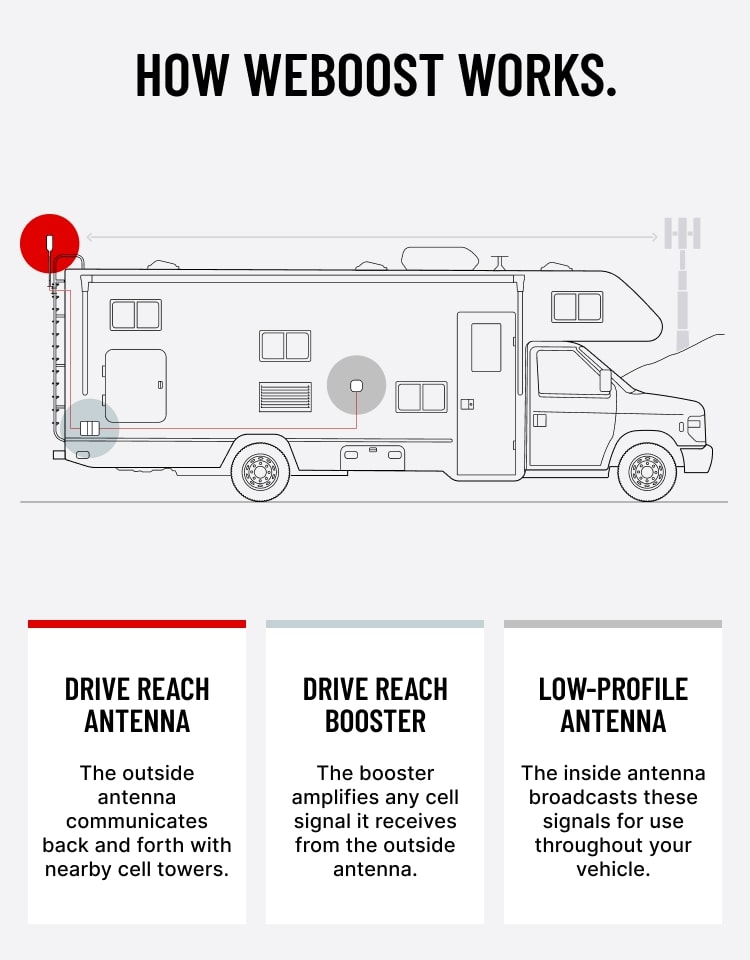
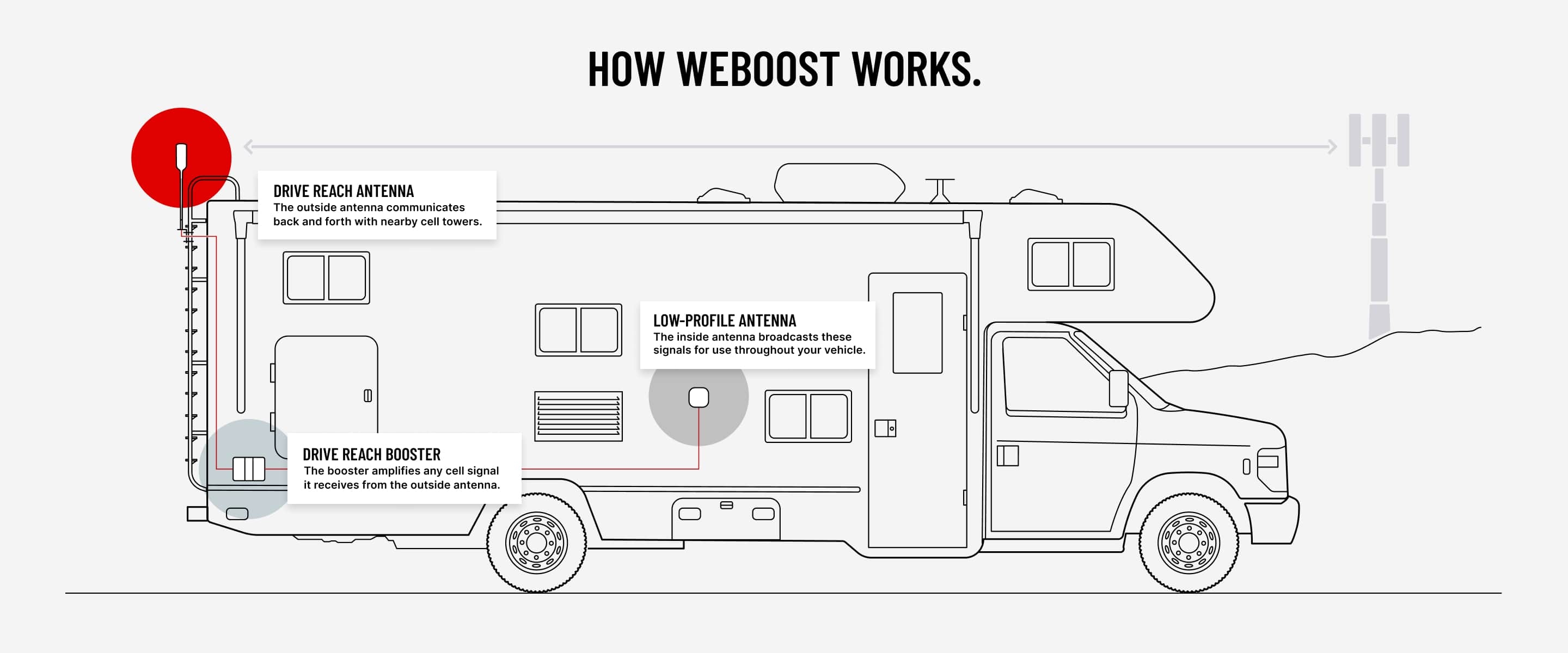
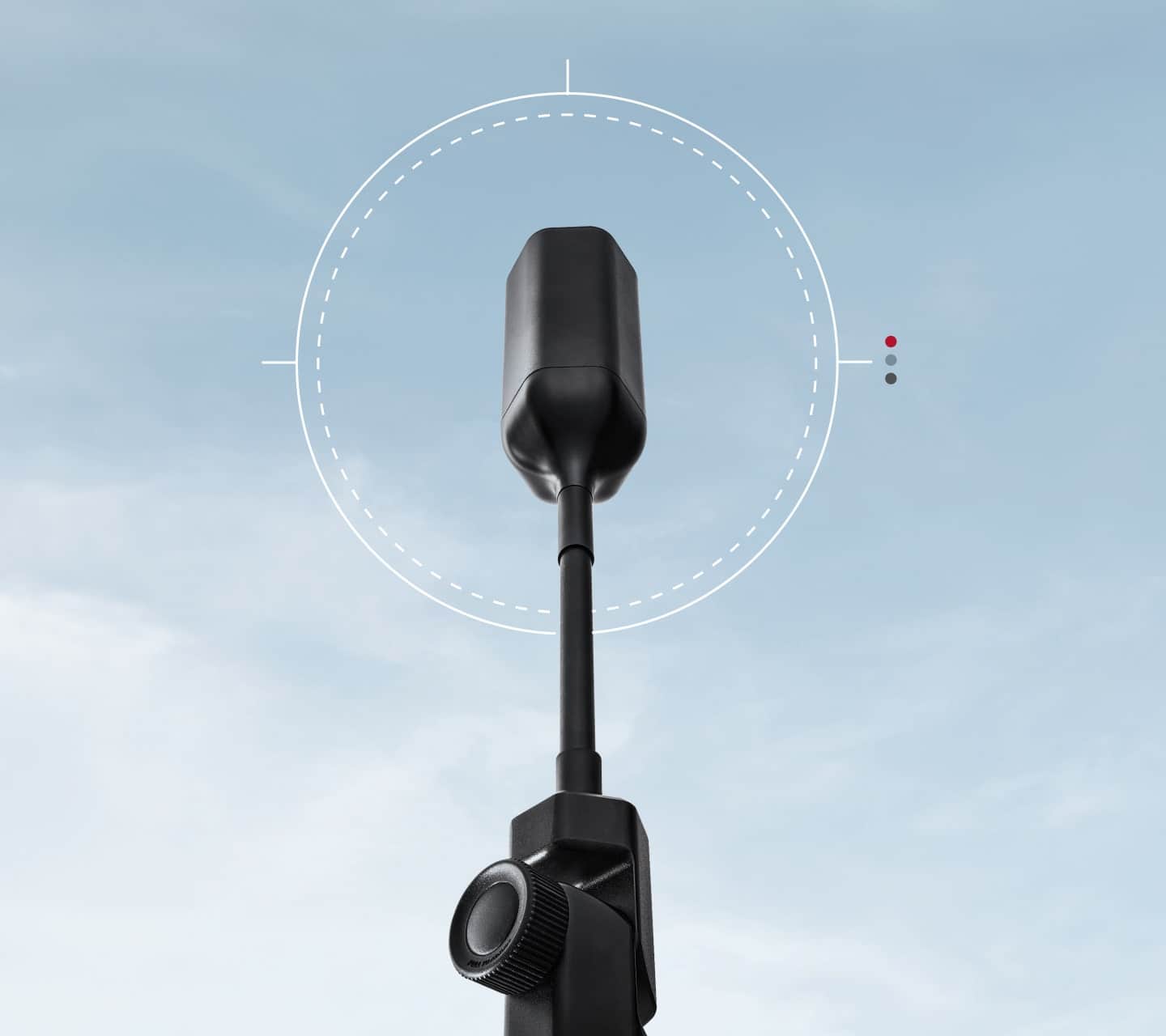
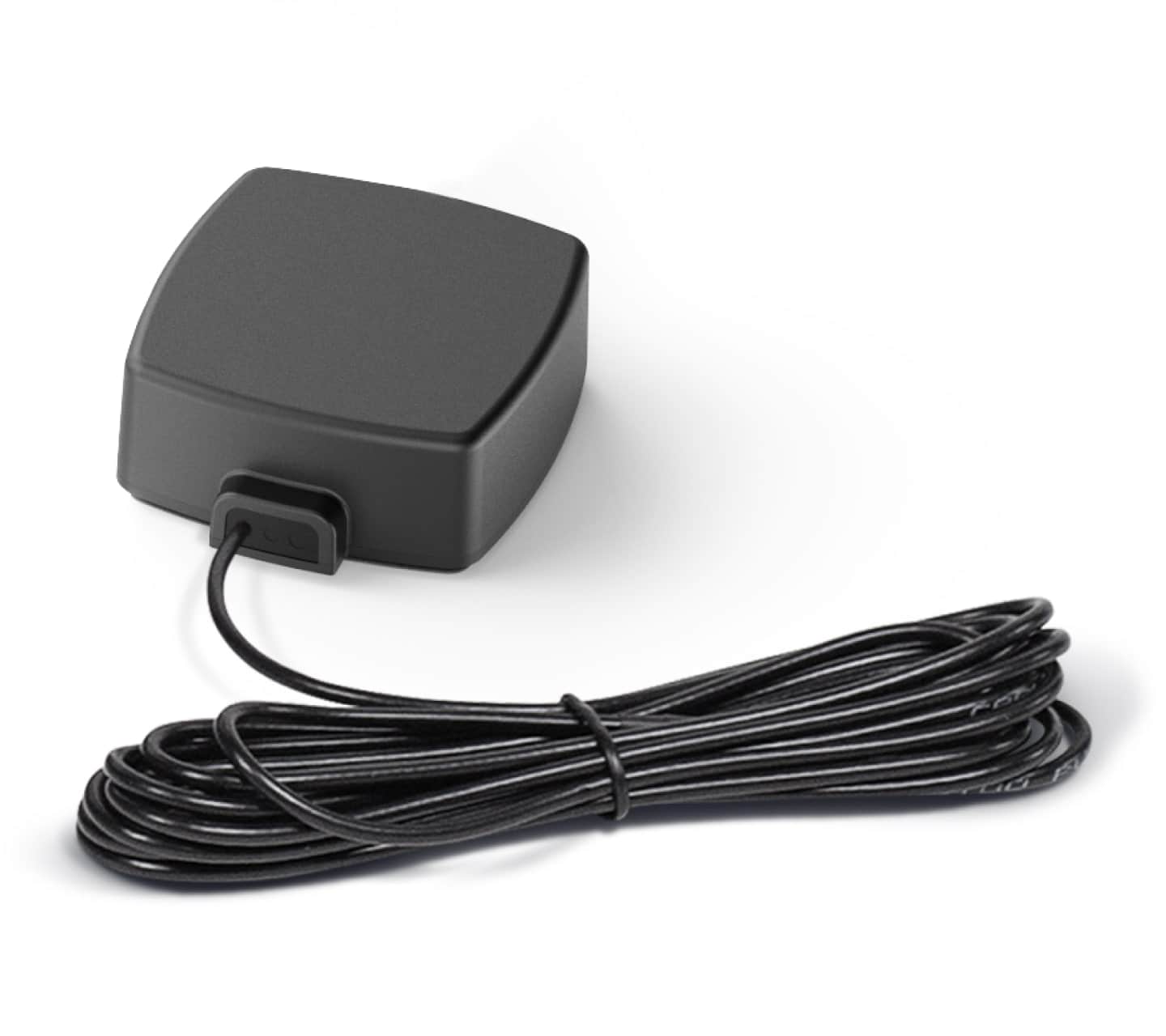
The Drive Reach RV II uses a three-part system to amplify weak cellular signal in your RV. The outside antenna (mounted on your RV roof, ladder, or T-track) communicates with nearby cell towers to capture existing signal. The booster unit amplifies that signal up to 32 times stronger (50 dB gain) across all carrier networks. The inside mini panel antenna then broadcasts the boosted signal throughout your RV for multiple devices to connect. The booster requires at least some existing signal to amplify and cannot create signal in complete dead zones. Use the free weBoost app to measure signal strength in decibels before and after installation to verify performance improvements.How much signal improvement can I expect with the Drive Reach RV II when camping or traveling?
Most RV users see 1-2 bars of improvement in areas with weak cellular signal, though results vary significantly based on your location, how many cell towers your carrier has nearby, and distance from the nearest tower. The booster amplifies existing signal up to 32 times stronger, which typically improves from "SOS only" to usable 1-2 bars for calls, texts, and data in remote camping areas like national parks and rural campgrounds. The booster cannot create signal in complete dead zones where no cellular coverage exists. For accurate measurements beyond unreliable signal bars, use the free weBoost app to check signal strength in decibels (no device purchase required). Individual results depend on terrain, weather, and your carrier's coverage in your specific area.Will the Drive Reach RV II work with my Starlink satellite internet system in my RV?
The Drive Reach RV II boosts cellular signal and does not interfere with Starlink satellite internet, as they operate on completely different frequencies and solve different connectivity needs. You can safely use both systems together in your RV, and many RVers do exactly that for complete coverage. Starlink provides high-speed satellite internet for streaming, video calls, and web browsing, while the Drive Reach RV II improves cellular signal for phone calls, texts, and mobile data. The Drive Reach RV II is a one-time purchase with no monthly fees, works in any weather conditions including heavy rain or snow, and functions under dense tree cover. Starlink requires a clear view of the sky and incurs monthly fees. Many serious RV travelers use both as complementary solutions—Starlink for internet and weBoost for reliable cellular connectivity.What are the different mounting options for installing the Drive Reach RV II outside antenna?
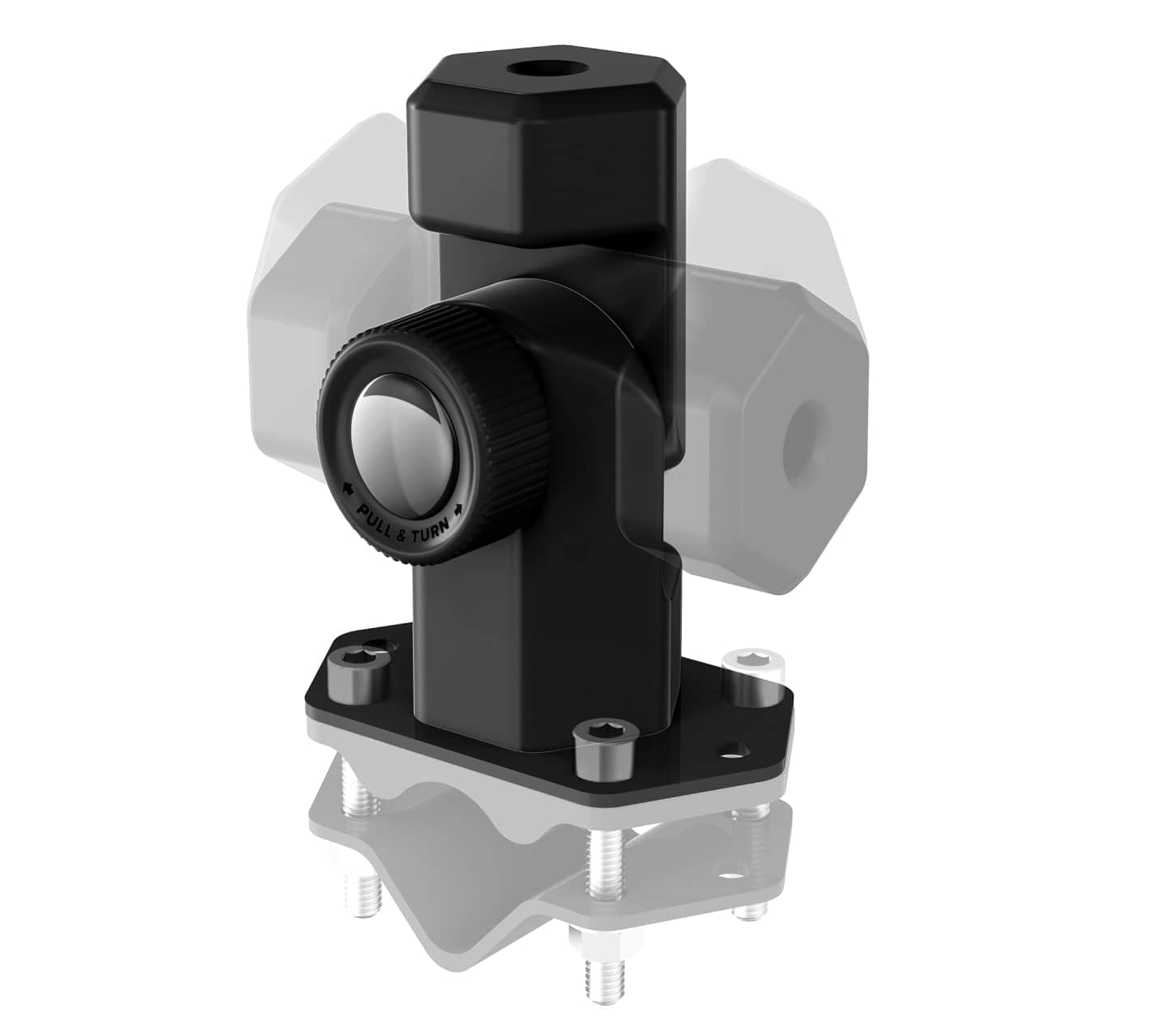
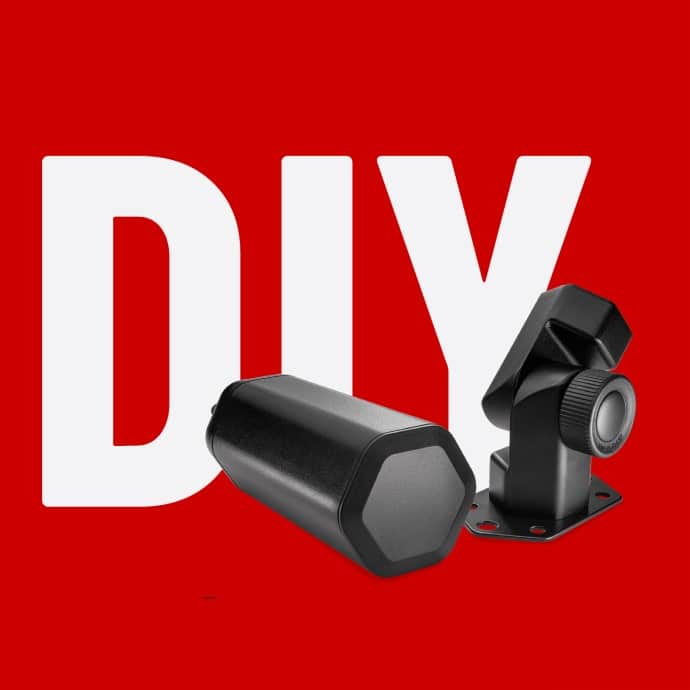
The Drive Reach RV II includes a folding mounting bracket that adjusts 180° in both directions for three installation methods: ladder or pole mounting (fits 1.0-1.25 inch diameter poles with included brackets and non-slip rubber pad), fixed roof mounting (requires installer-provided fasteners and roof-compatible sealant), and T-track mounting (uses included T-track hardware, though some T-tracks may require compatible channel nuts). The outside antenna should be mounted above the horizontal plane of your RV and above any roof gear for optimal performance. The 13-inch mast extension and side-exit adapter allow flexible antenna height and cable routing. When not in use, the folding bracket secures the antenna at 45°, 135°, or horizontal positions for travel and storage, though the system only functions with the antenna in the upright 90° position.How close do my phone and devices need to be to the inside antenna for the Drive Reach RV II to work?
Your cellular devices should be within 1-2 feet of the inside mini panel antenna for optimal signal boost, with the strongest performance when devices are placed directly next to or on top of the antenna. FCC regulations limit the broadcast range to approximately 4 feet, and customer experience shows that signal improvement drops significantly beyond 1-2 feet from the inside antenna. For best results with smartphones, position the inside antenna near where you'll be using your phone, or keep a cellular hotspot or modem permanently next to the antenna to share boosted signal via WiFi. The directional mini panel antenna concentrates signal where it's pointed, so aim it toward your primary device location. This proximity requirement is normal for all FCC-compliant vehicle boosters and helps prevent harmful interference with cell towers.Why is my Drive Reach RV II showing a red or blinking red light, and how do I fix it?
A red or blinking red light means your inside and outside antennas are too close together, causing something called oscillation where the booster automatically reduces power or shuts down to protect the system. This happens because the antennas are picking up each other's signals instead of just the cell tower signal. To fix this, unplug the booster, move the inside and outside antennas farther apart from each other (placing them at opposite ends of your RV usually works best), then plug the booster back in and check the light. Keep moving them farther apart until you get a solid green light, which means everything is working properly. If you're already getting good signal with a blinking red light, no adjustment is needed.Does the Drive Reach RV II work in areas with no cell signal or complete dead zones?
No, the Drive Reach RV II cannot create cellular signal where none exists—it can only amplify existing weak signal that's already present in your location. If you're in a complete dead zone with zero signal from your carrier (such as deep mountain valleys or extreme remote wilderness), the booster will not provide connectivity. The system works best in areas with weak but detectable signal (1-2 bars or SOS mode), where it can amplify that minimal signal into usable 1-2 bars for calls, texts, and data. Before traveling to remote areas, check your carrier's coverage maps and use the free weBoost app to measure signal strength in decibels to verify at least some signal is present. Results depend heavily on your carrier's tower locations and terrain between you and the nearest cell tower.